Gym app for members
Your members see their own membership
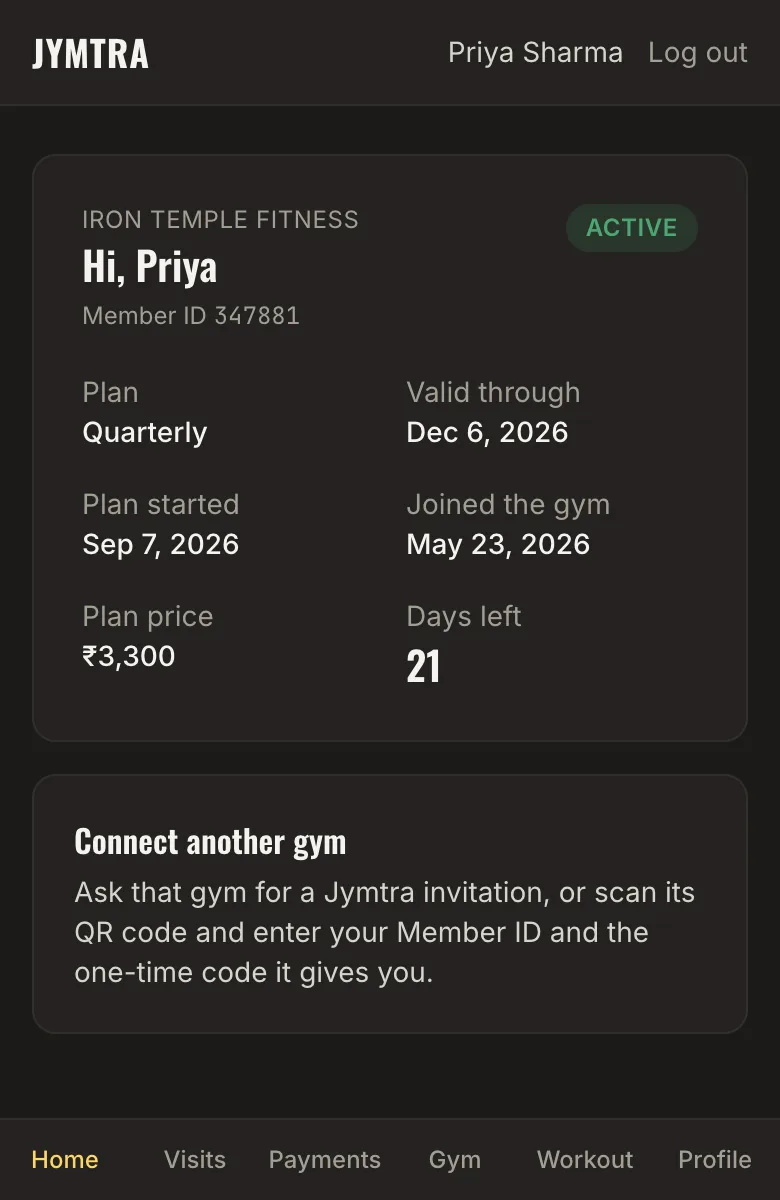
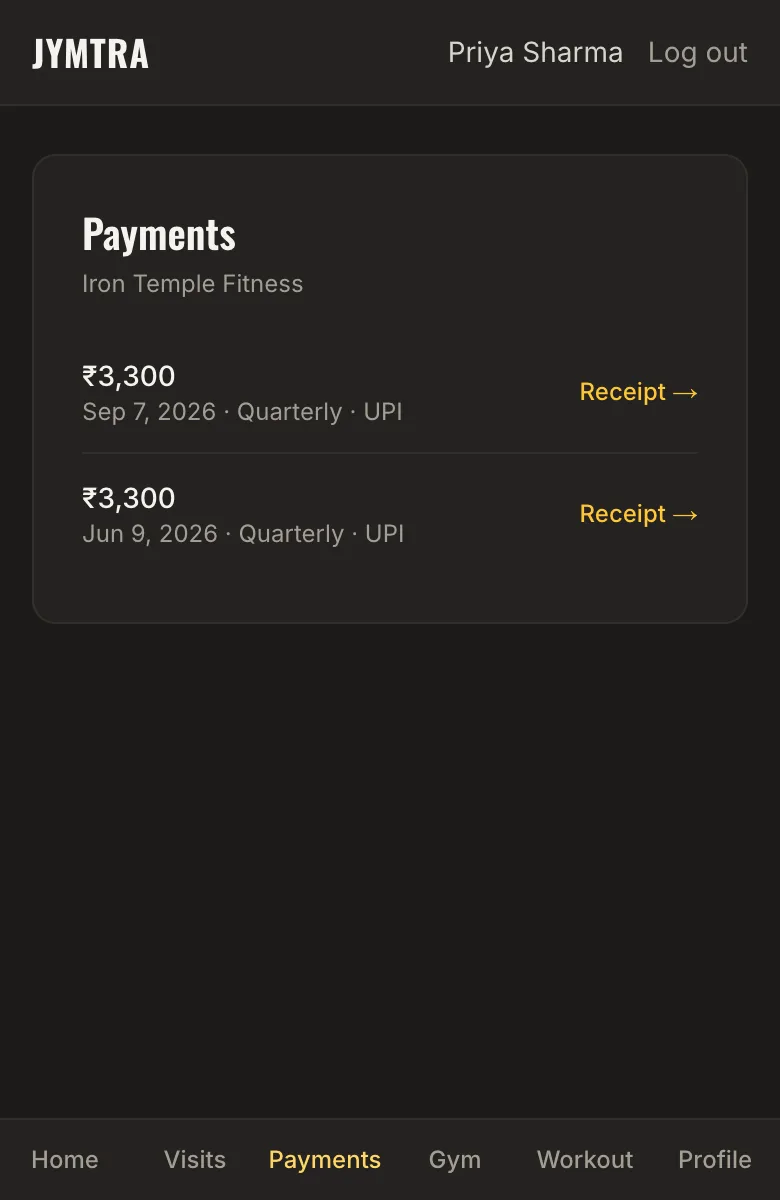
The Jymtra member app works in the phone’s browser — nothing to install. Members see their plan, how many days are left, every payment and receipt, and their check-ins and weekly streak.
Members connect themselves: tap “Send Jymtra Invitation on WhatsApp” on a member’s profile and the message carries the link, their Member ID and a one-time code. A Member ID alone can never connect an account.
What you get
Plan and days left
Members see their current plan, start and end dates, price and days left at a glance.
Payments and receipts
Every payment you record appears in their app with its receipt.
Safe connection
Connecting needs the Member ID plus a one-time code from you, and an account with a confirmed email. Codes expire and work once.
Only their own data
A member sees their own membership at your gym — never other members, your notes or your reports.
How it works
- Open the member and tap “Send Jymtra Invitation on WhatsApp”.
- You press Send in your WhatsApp.
- The member signs up, enters the code and is connected.
Questions
Do members need to install an app?
No. The member app opens in the phone’s browser. It works on Android and iPhone.
How long does the invitation code last?
A WhatsApp invitation code works for 24 hours; a code given at the front desk works for 10 minutes. Each works only once.
What if a member uses more than one gym on Jymtra?
They can connect to each gym with that gym’s code, and switch between them in the app.
Related features
- QR check-in and attendanceOne QR code on the wall. Members check in from their phone; you see visits, busy hours and who is missing.
- Member managementProfiles with photos, plans and payments. Find anyone by name, phone or Member ID.
- Payments and receiptsCash, UPI, card or bank transfer. Part payments, dues, receipts and a CSV of everything.