Gym attendance with QR check-in
Attendance without a register or a machine
Print your gym’s QR code and put it at the entrance. Members who use the Jymtra member app scan it, sign in once and tap Check in — one check-in per member per day.
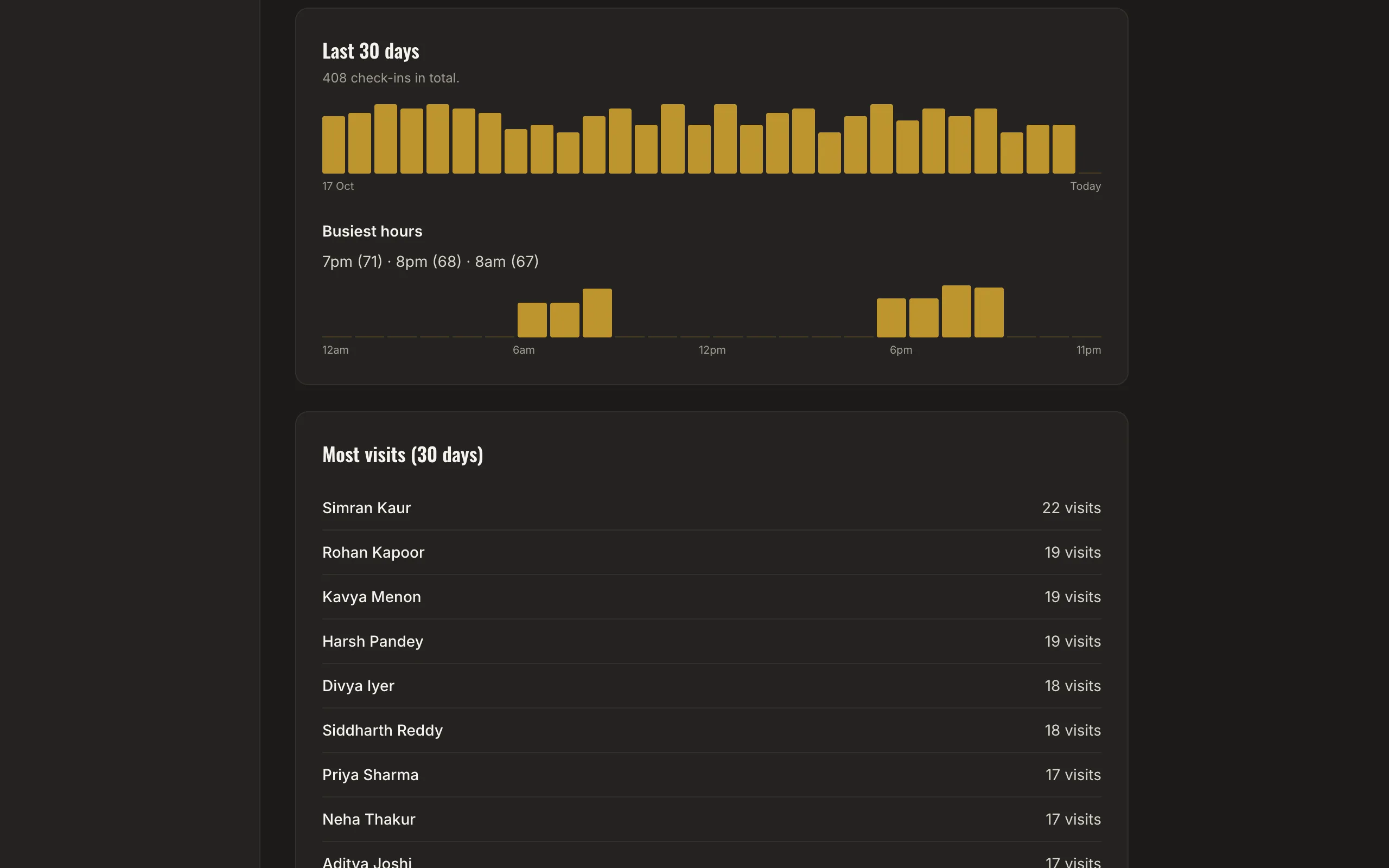
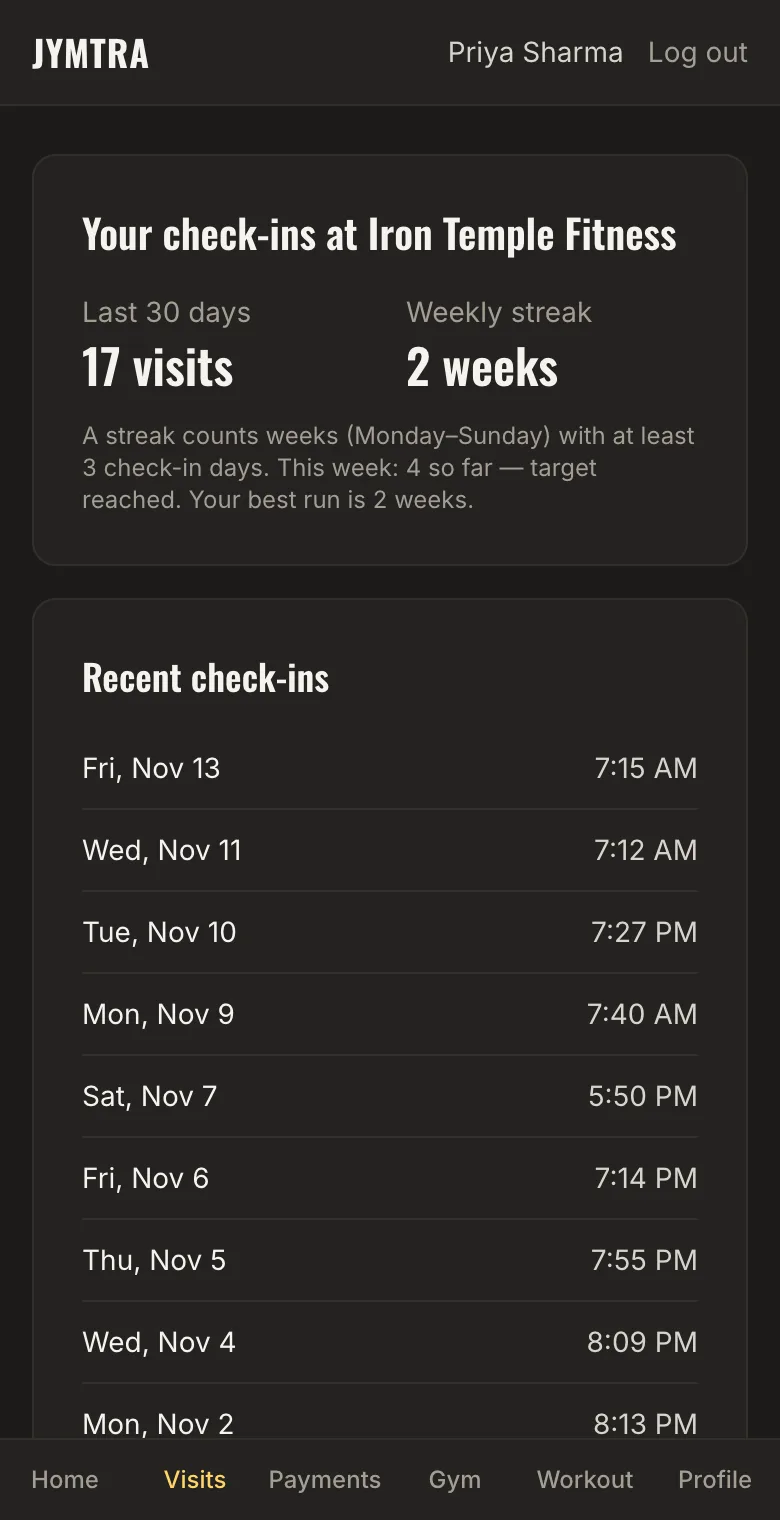
You see today’s check-ins, the last 30 days, your busiest hours, the members who visit most and the ones you have not seen in 30 days. Members see their own visits and weekly streak.
What you get
One permanent QR code
Print it as a poster. If it is ever misused, press Change QR — the old code stops working at once.
A tap, not a scan-and-forget
Opening the link never records a visit. The member must tap Check in, and only once per day.
Reports that matter
Daily counts, a 30-day chart, busiest hours, most visits and members not seen lately.
Honest about what it proves
A QR code on a wall can be photographed, so it shows which gym a member checked in to — it cannot prove they were standing there. Jymtra says so plainly.
How it works
- Print the QR poster from the Attendance page.
- Members connect to the member app once.
- They tap Check in when they arrive; you see it in the report.
Questions
Do I need a biometric machine?
No. Jymtra uses a QR code and the member’s own phone. It does not connect to biometric or door hardware.
What if a member’s plan has ended?
The check-in is still recorded, marked as made with an ended plan, so you can follow up.
Which members can check in?
Members connected to the Jymtra member app. Members without the app are managed as usual; their visits are not recorded by QR.
Free tool
Related features
- Member appMembers check their plan, days left, receipts and visits — and stop asking the front desk.
- Reports and insightsA weekly summary and the members who need attention, counted from your own records.
- Member managementProfiles with photos, plans and payments. Find anyone by name, phone or Member ID.