Gym billing and fee receipts
Every rupee recorded, every receipt ready
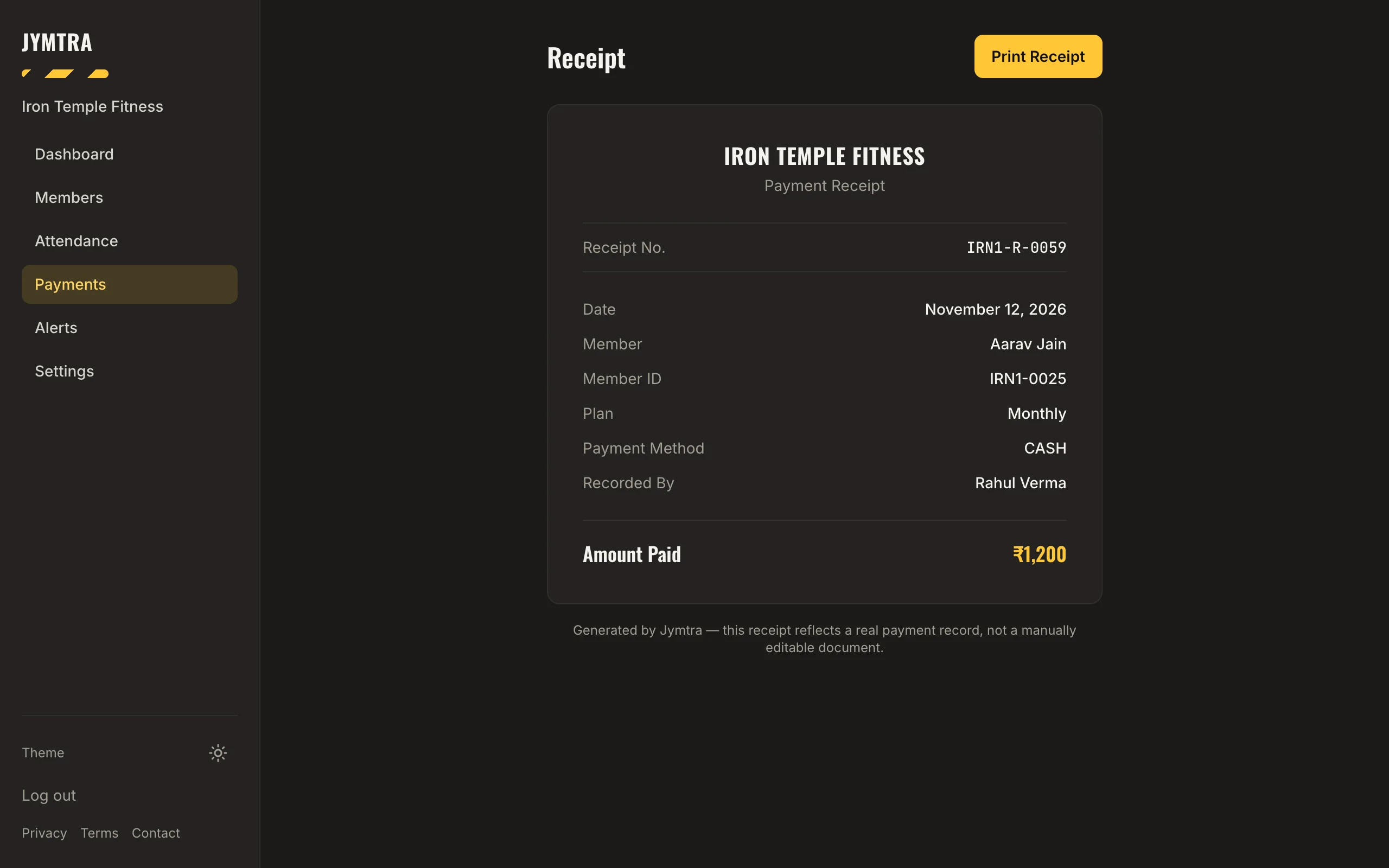
Record each payment in a few taps — amount, method and date — and Jymtra creates a numbered receipt you can show or print. Part payments are allowed; what is still due stays visible.
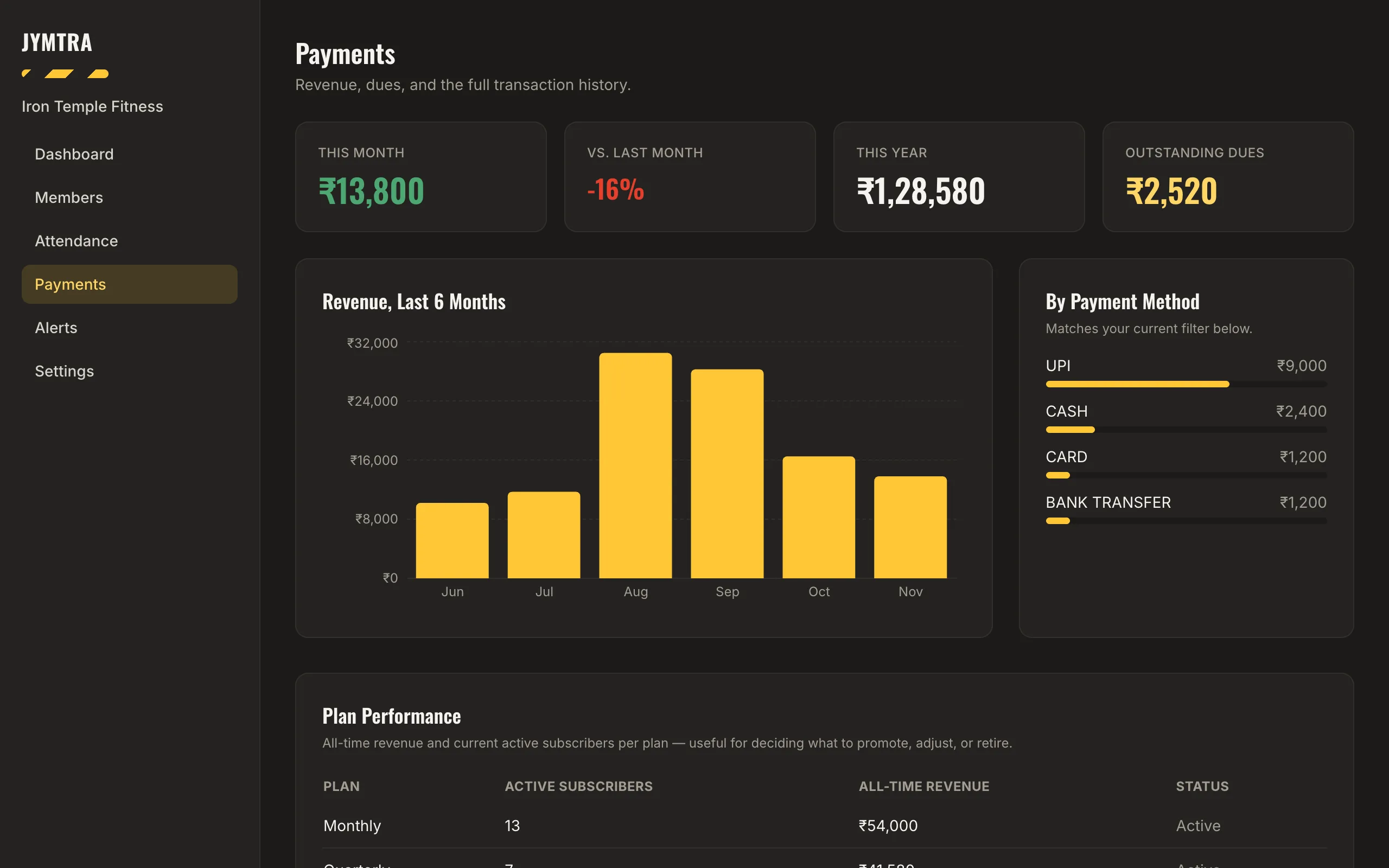
The Payments screen shows this month, the change from last month, this year and outstanding dues, with six months of revenue, the split by payment method and how each plan performs.
What you get
Any way your members pay
Cash, UPI, card, bank transfer or other — recorded with the date it was paid.
Part payments and dues
Record what was paid today; the balance shows as due on the member and in your totals.
A receipt for every payment
Each payment gets its own receipt number. Print it or show it on screen — it reflects the real record and cannot be edited by hand.
Reports and CSV export
Filter by a single day, a month or a custom date range, and download those transactions as a CSV file for your accountant.
How it works
- Choose the member and the plan.
- Enter the amount, the method and the date.
- Print or share the receipt. Totals and dues update straight away.
Questions
Does Jymtra collect payments from my members?
No. Your members pay you the way they always have. Jymtra records the payment and gives you the receipt and the reports.
Can a member pay in parts?
Yes. Record each part as it is paid. Jymtra shows what is still due for that plan until it is fully paid.
Can I give my accountant the payment history?
Yes. Export the transaction history as a CSV file for any period.
Free tool
Related features
- Renewal remindersToday, tomorrow, this week and expired — with a ready-written WhatsApp reminder for each.
- Reports and insightsA weekly summary and the members who need attention, counted from your own records.
- Member managementProfiles with photos, plans and payments. Find anyone by name, phone or Member ID.