Gym renewal reminders on WhatsApp
Know who to call before they lapse
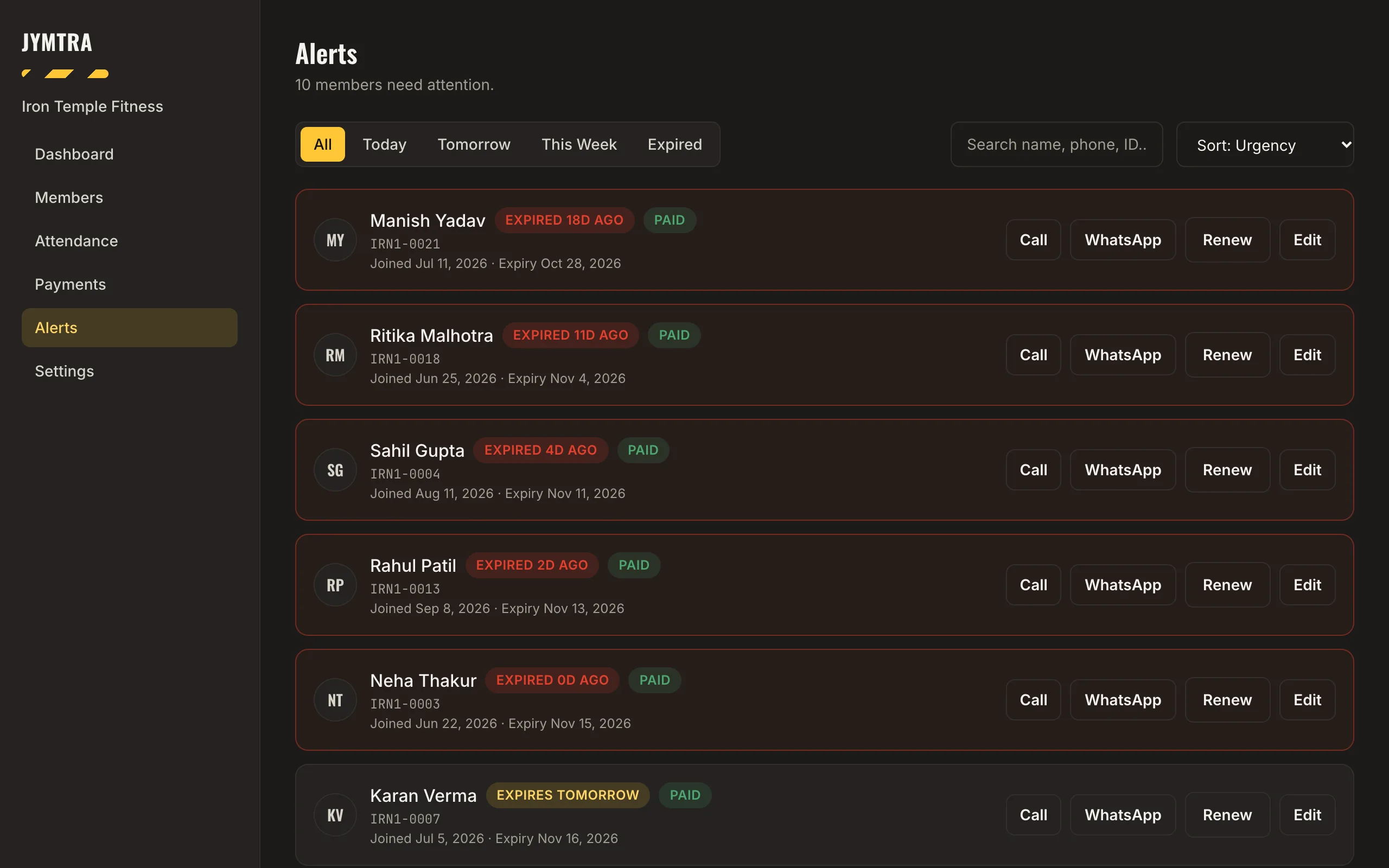
The Alerts screen lists every membership that ends today, tomorrow or this week, and the ones that have already ended. Each row has Call, WhatsApp, Renew and Edit.
WhatsApp opens your own WhatsApp with the reminder already written. You read it and press Send — Jymtra never sends a message for you, and there are no SMS charges.
What you get
One list every morning
Filter by Today, Tomorrow, This week or Expired, search, and sort by urgency, name or amount due.
One tap to WhatsApp
The reminder is written for you with the member’s name and member code — one for “expiring soon”, one for “expired”. It opens in your own WhatsApp; nothing goes out until you press Send.
Renew on the spot
Renew a plan from the same row. If the old plan already ended, the new one starts today; otherwise it starts when the old one ends.
Dues in view
Members who paid only part of their plan are marked, and you can sort the list by amount due, so you can collect it in the same conversation.
How it works
- Open Alerts each morning.
- Tap WhatsApp or Call for each member.
- When they pay, renew the plan and record the payment — the receipt is ready.
Questions
Does Jymtra send WhatsApp messages automatically?
No. Jymtra writes the message and opens your own WhatsApp; you press Send. Nothing is sent without you, and Jymtra never marks a message as sent.
Do I pay for SMS?
No. Jymtra does not send SMS. Reminders go from your own WhatsApp, so there is no per-message cost from Jymtra.
Can I see members who have already lapsed?
Yes. The Expired filter lists them, with how many days ago their plan ended, so you can win them back.
Free tool
Related features
- Payments and receiptsCash, UPI, card or bank transfer. Part payments, dues, receipts and a CSV of everything.
- Member managementProfiles with photos, plans and payments. Find anyone by name, phone or Member ID.
- Reports and insightsA weekly summary and the members who need attention, counted from your own records.