Gym reports and smart insights
Your week, in plain numbers
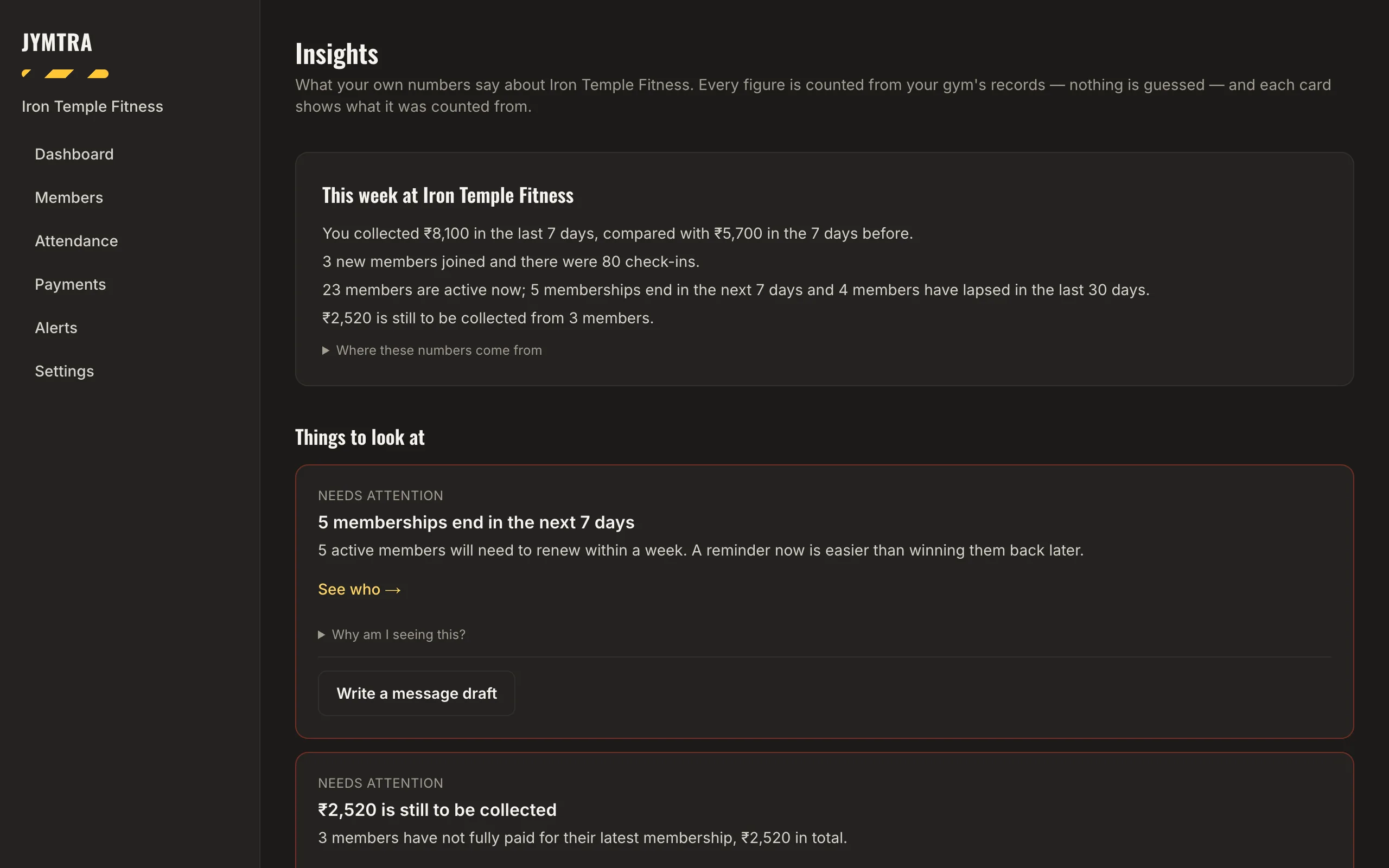
Insights turns your records into a short weekly summary: what you collected, how many members joined, how many check-ins, who renews soon and what is still due.
Every number is counted from your gym’s own records — nothing is guessed — and each card shows exactly what it was counted from. If you switch on message drafts, Jymtra suggests a reminder you can edit and send from your own WhatsApp.
What you get
This week at your gym
Money collected compared with the week before, new members, check-ins, active members, renewals due and dues outstanding.
Things to look at
Cards for memberships ending in the next 7 days, money still to be collected, recently lapsed members and members not seen lately — each with “see who”.
Quick answers
Pick a question such as “How much did I collect last month?” or “What is my busiest check-in hour?” and get the number with its source.
Drafts you control
Optional message drafts use only the member’s name and your gym’s name. You review every draft and send it yourself.
How it works
- Open Insights.
- Read the weekly summary and the cards.
- Tap “See who”, then call or message those members.
Questions
Where do the numbers come from?
From your own records in Jymtra — members, plans, payments and check-ins. Each card shows what it was counted from.
Is my members’ data sent to an outside AI service?
No. Insights and drafts are worked out inside Jymtra from your records. No member data is given to an outside AI provider.
Do I have to use message drafts?
No. Drafts are off until you switch them on in Settings, and nothing is ever sent for you.
Free tool
Related features
- Renewal remindersToday, tomorrow, this week and expired — with a ready-written WhatsApp reminder for each.
- Payments and receiptsCash, UPI, card or bank transfer. Part payments, dues, receipts and a CSV of everything.
- QR check-in and attendanceOne QR code on the wall. Members check in from their phone; you see visits, busy hours and who is missing.